

Webhook Management
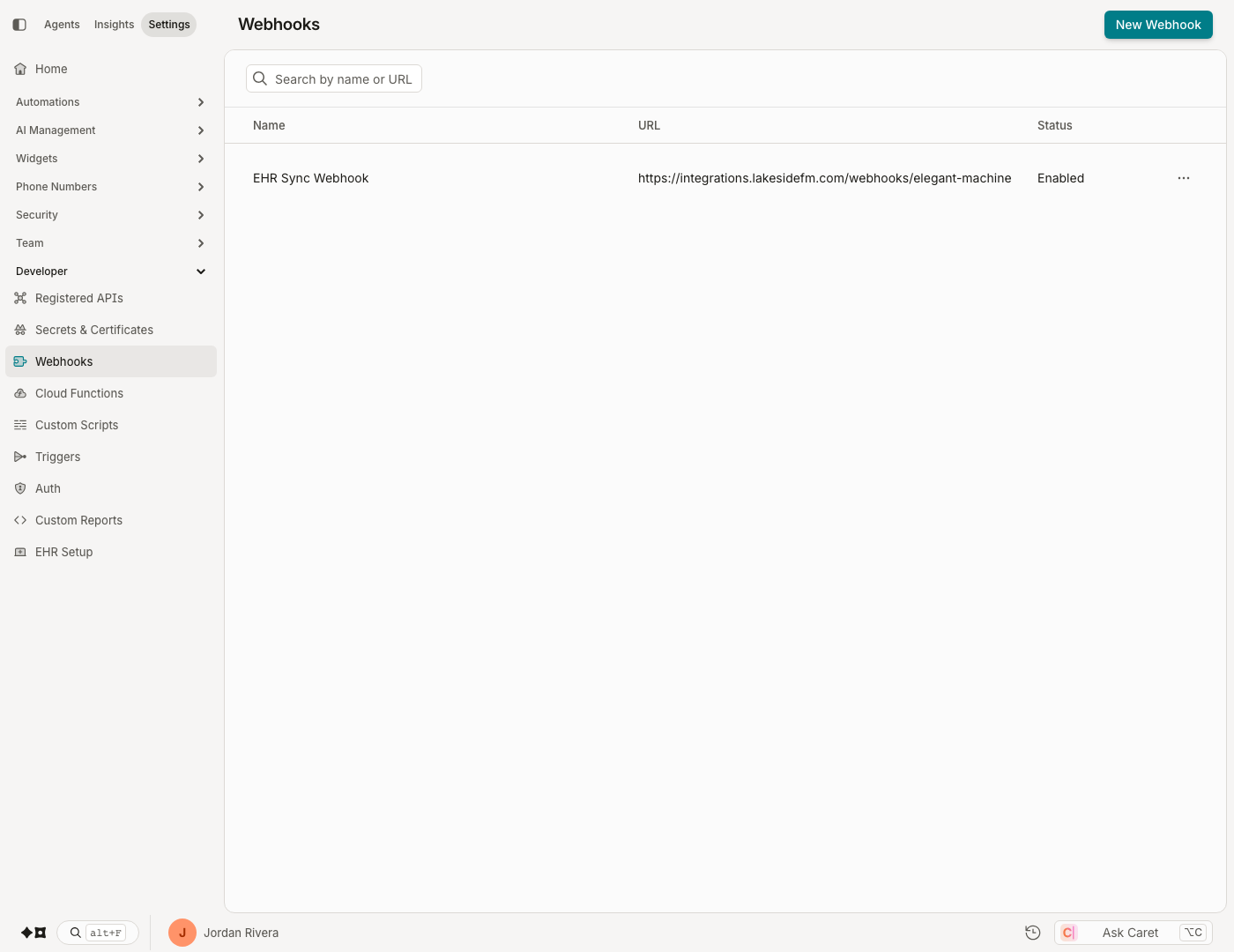
An organization's webhooks are configured at Admin › Developer › Webhooks.
Configuration
Creating a Webhook
In the Webhooks section, click New Webhook. This displays a dialog where you can set your webhook status (enabled/disabled), give your webhook a name, and specify its endpoint (Payload URL). Click Create Webhook to submit your settings.
NoteYou can modify your settings at a later time.
Add Event Subscriptions
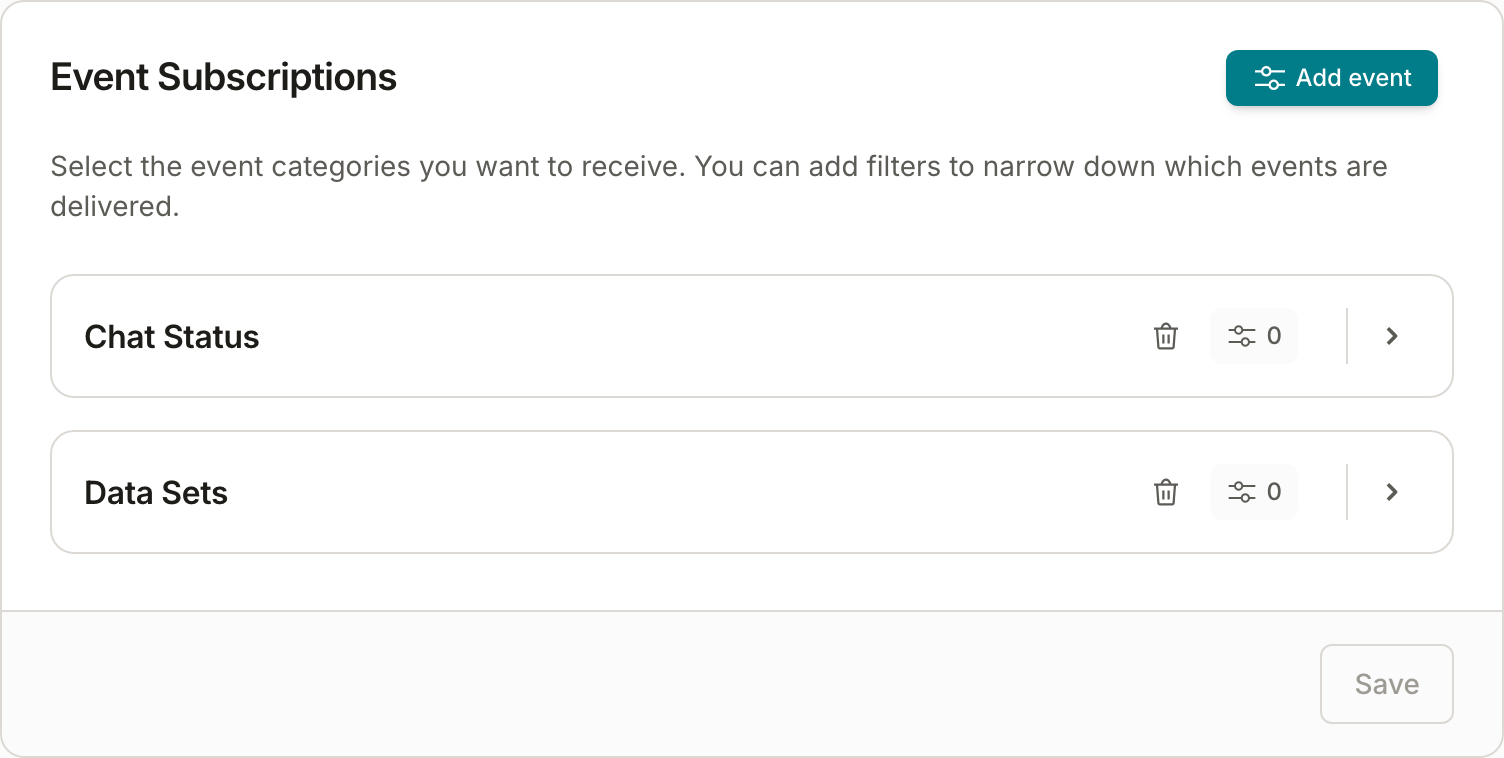
From the webhooks list, click on the webhook you want to configure. This takes you to the Settings view where you can choose which event categories to subscribe to.
Filter Webhook Event Subscriptions
You can optionally add filtering to your webhook events to narrow down to a subset of events, based on the available properties below:
| Event | Filter Properties | Operator | Values/Options |
|---|---|---|---|
| External Bots | Event Type | matches, does not match | ExternalBotFlowTriggered |
| Subscriptions | Event Type | matches, does not match | SmsSubscribed, SmsUnsubscribed |
| Phone Number | matches, does not match | a Phone Number in your org | |
| Message Posted | Event Type | matches, does not match | MessagePosted |
| Topic | matches, does not match | a Topic in your org | |
| Widget | matches, does not match | a Widget in your org | |
| Chat Status | Event Type | matches, does not match | ChatArchived, ChatEnded, ChatOpened |
| Topic | matches, does not match | a Topic in your org | |
| Widget | matches, does not match | a Widget in your org | |
| Chat Context | Event Type | matches, does not match | ChatContextUpdated |
| Topic | matches, does not match | a Topic in your org | |
| Widget | matches, does not match | a Widget in your org | |
| Registered Chats | Event Type | matches, does not match | RegisteredChatStarted, UserVerificationAbandoned, UserVerificationSucceeded |
| Topic | matches, does not match | a Topic in your org | |
| Widget | matches, does not match | a Widget in your org | |
| Chat Tagged / Chat Tag Deleted | Category | matches, does not match | a Category in your org |
| Event Type | matches, does not match | ChatTagged, ChatTagDeleted | |
| Tag | matches, does not match | a Tag in your org | |
| Topic | matches, does not match | a Topic in your org | |
| Widget | matches, does not match | a Widget in your org | |
| Retention Jobs | Event Type | matches, does not match | RetentionJobCompleted |
| Data Sets | Event Type | matches, does not match | DataSetStatusChanged |
Managing Webhook Secrets
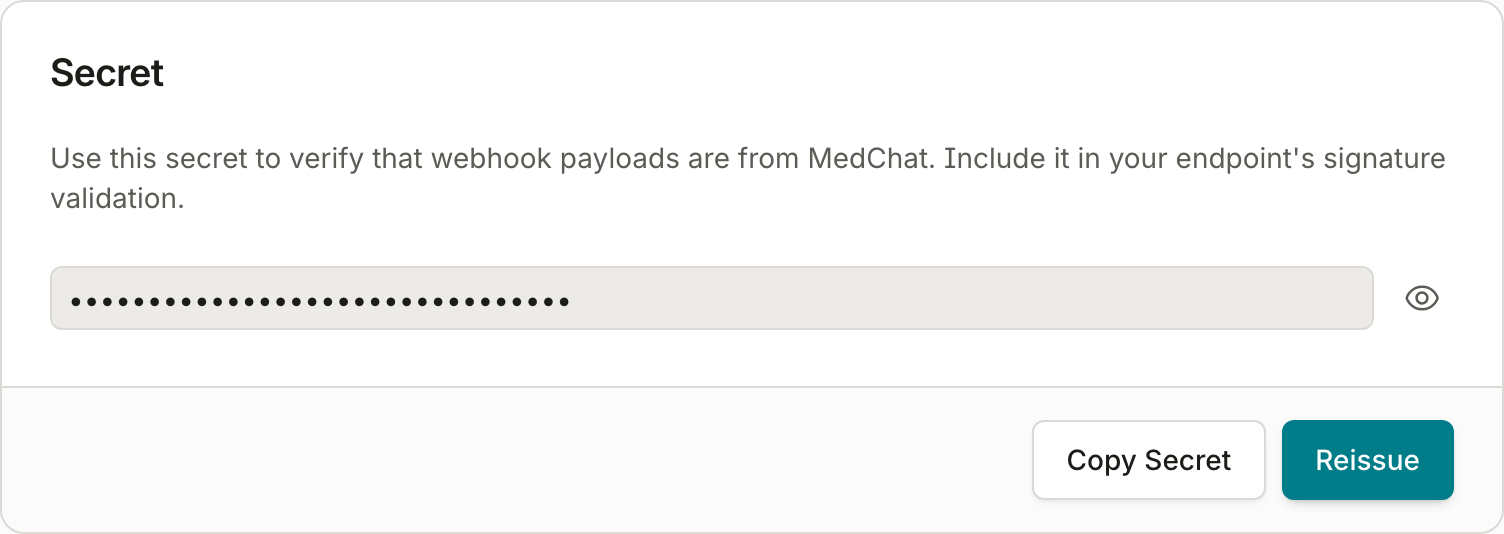
When you create a webhook, the system automatically issues a secret which is used for authenticating webhook events. From the webhook detail view, you may access the secret as well as reissue it (e.g. if you suspect it has been compromised).
NoteFor more information about delivery verification, see Webhook Delivery Verification.
Deleting a Webhook
Delete a webhook either by clicking the "..." icon on a webhook listing, or by opening the Settings view and clicking Delete Webhook.
Deliveries
The platform keeps a record of all attempted deliveries, whether successful or failed, for 7 days. This is useful for troubleshooting webhook connectivity, and also allows developers to resend deliveries (e.g. if they fail and need to be sent again).
Viewing Deliveries
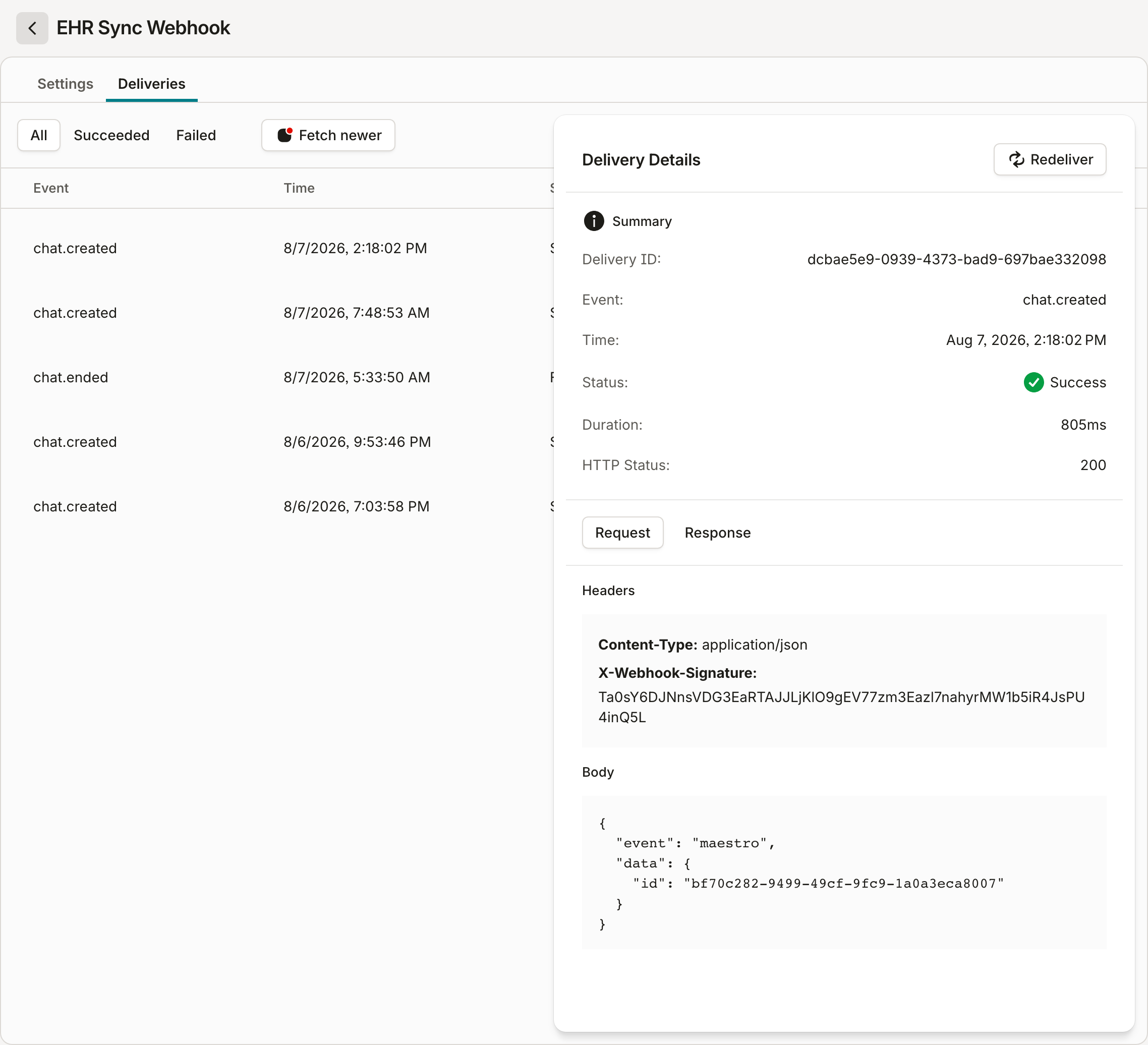
To view historical deliveries, open your webhook's details and click the Deliveries tab. Each delivery in the list can be expanded to show details about the delivery request as well as the response received by the system.
Redeliveries
To redeliver an event to your webhook, expand the delivery details and click the Redeliver button. The original delivery record remains in the list, and the same payload is delivered again.
Event Categories
Webhooks subscribe to individual event categories. An event category corresponds to one or more related event types.
Chat Status
Chat status events represent key points in a chat's lifetime.
ChatOpened — fires every time a chat is initiated, whether the chat is routed to an agent or to a bot.
{
  "Type": "ChatOpened",
  "Timestamp": "2020-09-11T18:20:48.2678017Z",
  "OrgId": "<guid>",
  "ChatId": "<guid>"
}
ChatEnded — fires whenever the chat ends for any reason.
{
  "Type": "ChatEnded",
  "Timestamp": "2020-09-11T18:20:48.2678017Z",
  "OrgId": "<guid>",
  "ChatId": "<guid>",
  "ChatEndReason": "EndedByUser"
}
ChatArchived — fires when an agent archives the chat.
{
  "Type": "ChatArchived",
  "Timestamp": "2020-09-11T18:20:48.2678017Z",
  "OrgId": "<guid>",
  "ChatId": "<guid>"
}
ChatTagged
Fires when a tag is added to a chat.
{
  "Type": "ChatTagged",
  "Timestamp": "2020-09-11T18:20:48.2678017Z",
  "OrgId": "<guid>",
  "ChatId": "<guid>",
  "Tag": "Tag 1",
  "Category": "Category A"
}
ChatTagDeleted
Fires when a tag is deleted from a chat.
{
  "Type": "ChatTagDeleted",
  "Timestamp": "2020-09-11T18:20:48.2678017Z",
  "OrgId": "<guid>",
  "ChatId": "<guid>",
  "Tag": "Tag 1",
  "Category": "Category A"
}
Message Posted
MessagePosted — fires every time a message is posted to the chat by any participant, whether the participant is a human or a bot.
{
  "Type": "MessagePosted",
  "Timestamp": "2020-09-11T18:20:48.2678017Z",
  "OrgId": "<guid>",
  "ChatId": "<guid>",
  "MessageId": "<guid>",
  "UserId": "<guid>",
  "MembershipType": "ExternalUser|Agent|Bot"
}
External Bots
ExternalBotFlowTriggered — fires when a bot execution encounters an instruction to transfer control to an external bot.
{
  "Type": "ExternalBotFlowTriggered",
  "Timestamp": "2020-09-11T18:20:48.2678017Z",
  "OrgId": "<guid>",
  "ChatId": "<guid>",
  "ChatBotId": "<guid>",
  "ExecutionId": "<guid>",
  "ChatBotName": "Appointment Scheduling Bot",
  "ExternalBotFlowStepIdentifier": "some-identifier"
}
Chat Context
ChatContextUpdated — fires when a chat's context changes.
{
  "Type": "ChatContextUpdated",
  "EventId": "<guid>",
  "ChatId": "<guid>",
  "OrgId": "<guid>",
  "Timestamp": "2022-06-09T14:20:44.8049692Z",
  "Updates": [
    {
      "Type": "UserInputAdded",
      "BlockId": "<string>",
      "MessageId": "<guid>",
      "RequestMessageId": "<guid>"
    }
  ]
}
Registered Chats
RegisteredChatStarted — fires when a chat is started from a registered chat.
{
  "Type": "RegisteredChatStarted",
  "Timestamp": "2020-09-11T18:20:48.2678017Z",
  "OrgId": "<guid>",
  "ChatId": "<guid>",
  "RegisteredChatId": "<guid>",
  "ReferenceCode": "<string>"
}
UserVerificationSucceeded — fires when the user successfully verifies their identity for a chat started from a registered chat.
{
  "Type": "UserVerificationSucceeded",
  "Timestamp": "2020-09-11T18:20:48.2678017Z",
  "OrgId": "<guid>",
  "ChatId": "<guid>"
}
UserVerificationFailed — fires when the user fails to verify their identity.
{
  "Type": "UserVerificationFailed",
  "Timestamp": "2020-09-11T18:20:48.2678017Z",
  "OrgId": "<guid>",
  "ChatId": "<guid>"
}
UserVerificationAbandoned — fires when the user leaves the chat before verifying their identity.
{
  "Type": "UserVerificationAbandoned",
  "Timestamp": "2020-09-11T18:20:48.2678017Z",
  "OrgId": "<guid>",
  "ChatId": "<guid>"
}
Subscriptions
Events relating to subscribing to and unsubscribing from SMS chats.
SmsSubscribed — fires when the user subscribes/opts in to an SMS chat by texting "Start" (or one of the other opt-in keywords).
{
  "Type": "SmsSubscribed",
  "EventId": "<guid>",
  "Timestamp": "2022-11-14T22:46:46.2494108Z",
  "OrgId": "<guid>",
  "SmsChatId": "<guid>",
  "SenderPhoneNumber": "<the org's phone number>",
  "RecipientPhoneNumber": "<the patient's phone number>"
}
SmsUnsubscribed — fires when the user unsubscribes/opts out from an SMS chat by texting "Stop" (or one of the other opt-out keywords), or when an automation opt-out step executes.
{
  "Type": "SmsUnsubscribed",
  "EventId": "<guid>",
  "Timestamp": "2022-11-14T22:46:46.2494108Z",
  "OrgId": "<guid>",
  "SmsChatId": "<guid>",
  "SenderPhoneNumber": "<the org's phone number>",
  "RecipientPhoneNumber": "<the patient's phone number>"
}
Retention Jobs
RetentionJobCompleted — fires when a retention job has finished processing and an extract file is ready for download.
{
  "Type": "RetentionJobCompleted",
  "EventId": "<guid>",
  "Timestamp": "2022-11-14T22:46:46.2494108Z",
  "OrgId": "<guid>",
  "JobId": "<guid>"
}
Data Sets
DataSetStatusChanged — fires when a dataset's processing status changes (for example, when an uploaded dataset finishes processing).
Updated about 2 months ago