

Cloud Functions
Legacy automation featureCloud Functions are consumed by MedChat's original Automation Studio. The Elegant Machine equivalent is Custom AI Actions, found under Admin › Automations › Custom AI Actions — see Automations.
In addition to integrating via Webhooks and custom scripts, you can have the platform invoke endpoints that you own, develop, and manage independently via the Cloud Functions feature.
A cloud function endpoint you create needs to adhere to the contract published below, which includes a pre-defined payload of execution context and a string response payload that automations can branch on.
Endpoint AuthenticationCloud function endpoints authenticate through Registered APIs.
Feature EnablementCloud Functions is a premium feature. Reach out to [email protected] to request enablement of this capability.
Create a Cloud Function
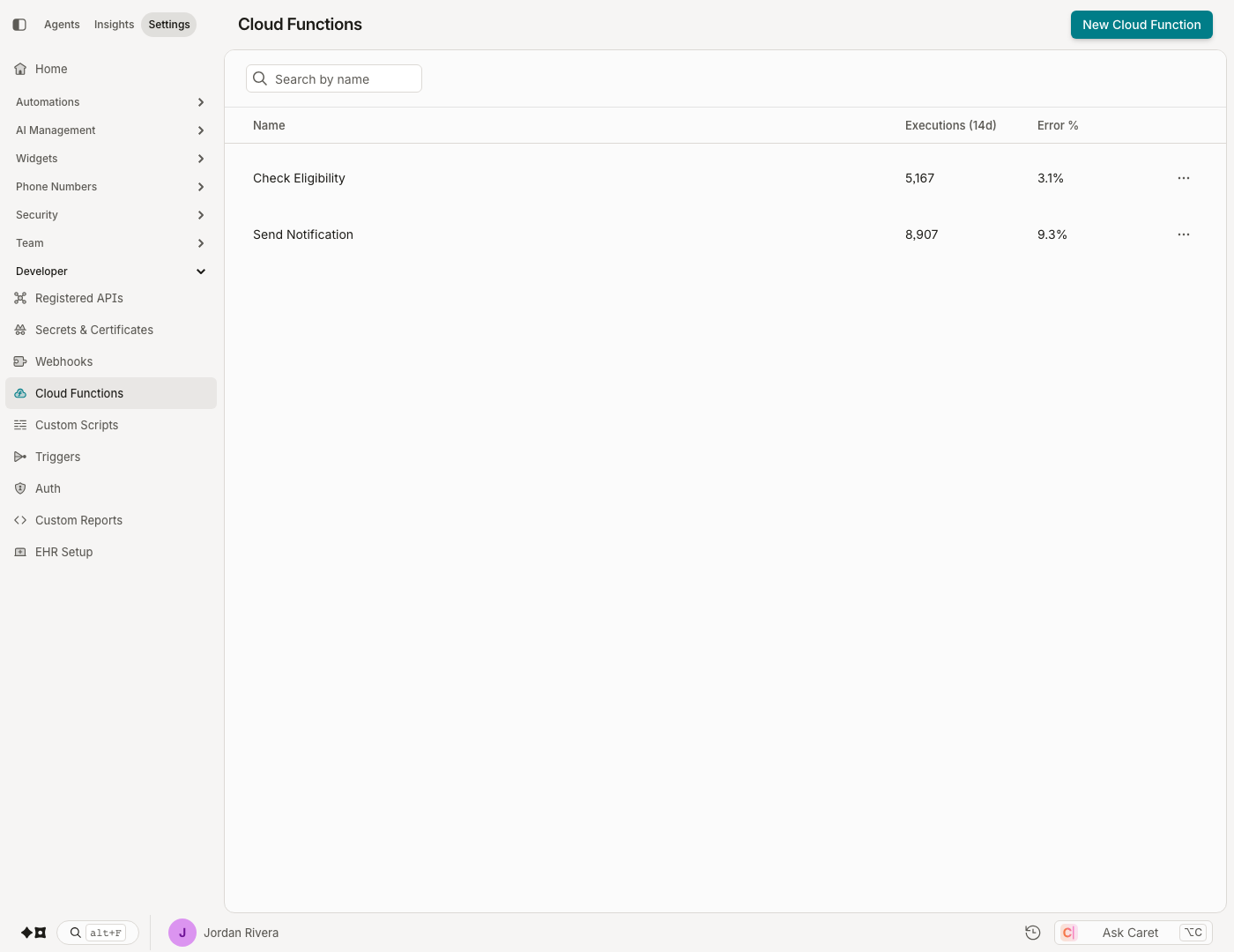
- Navigate to Admin › Developer › Cloud Functions.
- Click New Cloud Function at the top-right corner of the page.
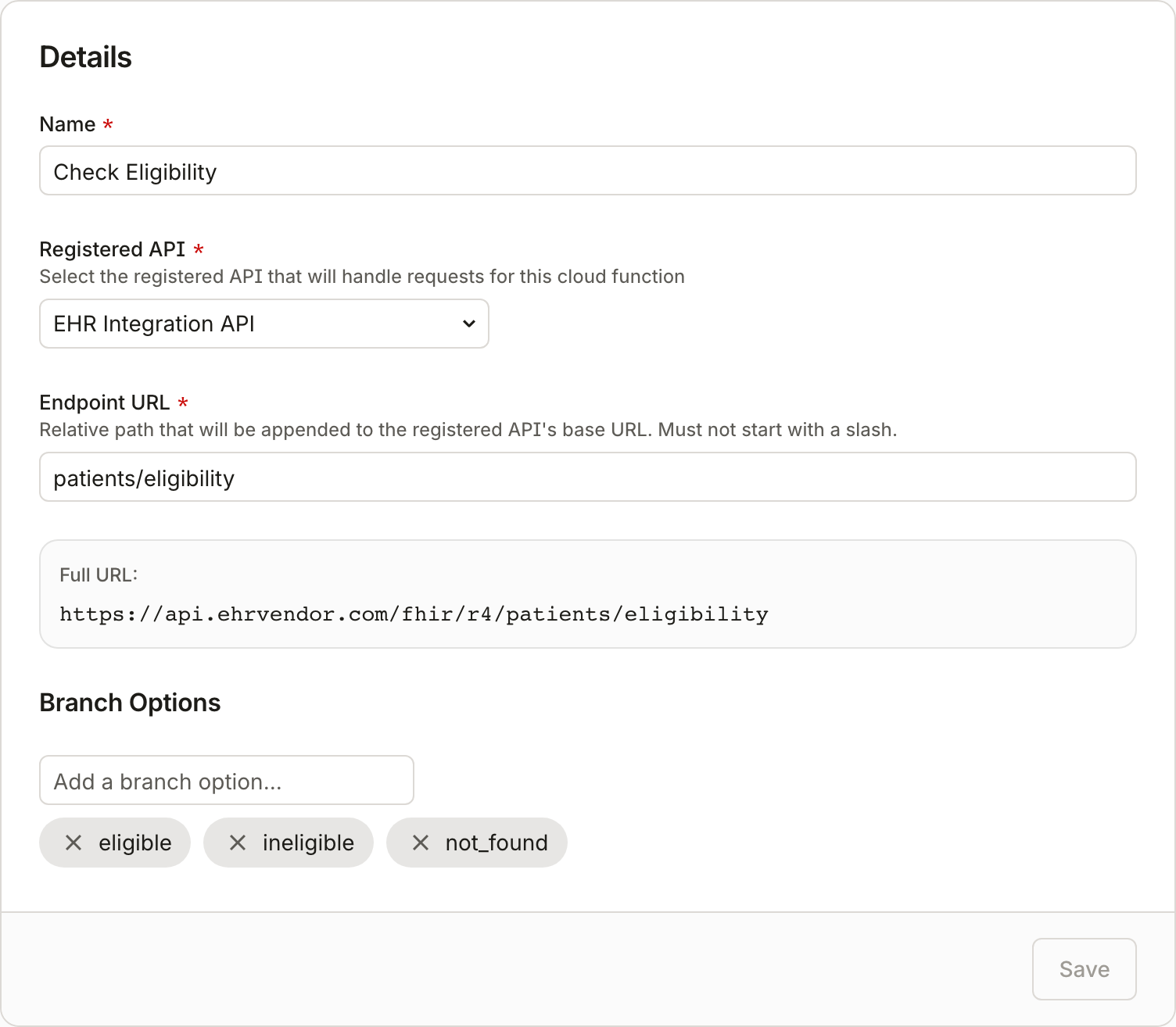
- Fill in the following information:
- Cloud Function Name — name your cloud function.
- Details:
- Registered API — choose from your configured Registered APIs to authenticate the endpoint.
- Endpoint URL (relative) — the endpoint URL relative to your registered API's base URL.
- Branch Options — the string response payload(s) your endpoint may return, used for branching in automations.
- Click Create Cloud Function to save.
Invoking Cloud Functions
Cloud functions are invoked in two ways:
- From an automation — an Execute Cloud Function step calls your endpoint mid-flow, stores the returned string in an attribute, and can branch on the value (enable a failure branch to handle paths where the cloud function throws).
- From a Trigger — configure a trigger at Admin › Developer › Triggers with the action type Cloud Function, select the cloud function to invoke, and choose the events (e.g. Chat Status events) that fire it.
Cloud Function API Contract
Your endpoint needs to adhere to the contract below.
Automation Execution
When a cloud function is executed from an automation step, context about the execution is posted to your endpoint:
Request: POST
{
  "type" : "CloudFunctionStepExecution",  // Allows a type in case the same endpoint also handles webhook/trigger events.
  "orgId" : guid,
  "chatId" : guid,  // Represents either a LiveChat or an SmsChat depending on the ChatBotType.
  "executionId" : guid,
  "chatBotId" : guid,
  "chatBotName" : string,
  "chatBotType" : string,  // ["LiveChat", "SmsChat", "Journey"]
  "stepName" : string,
  "stepId" : string,
  "timestamp" : datetime  // name exists for compatibility with Events.
}
Response:
The expected HTTP status code can be any successful code (200–299). All other status codes are treated as an error and logged.
A response payload may have the following:
{
  "returnValue" : ""  // Can be used for branching in the automation.
}If there is no response, or the returned string value does not exist in the cloud function's branch options, branching follows the default path.
Trigger Execution
When a cloud function is executed from a trigger, the event defined for the trigger is passed to the cloud function. No payload is expected in the response; if one is received, it is logged in the Trigger Executions view.
Updated about 2 months ago