

Custom Scripts
Legacy automation featureCustom Scripts are consumed by MedChat's original Automation Studio. The Elegant Machine equivalent is Custom AI Actions, found under Admin › Automations › Custom AI Actions — see Automations.
Custom scripts are server-side scripts, written in the platform's Spiney scripting language, that extend your organization's automations with custom logic — calling your Registered APIs, transforming data, and reacting to platform events via Triggers.
Who authors custom scriptsCustom scripts are authored by the platform team. Your team can view scripts, monitor their execution metrics, and wire them into triggers — but not modify them. Reach out to your account contact when you need a script written or changed.
The Custom Scripts screen
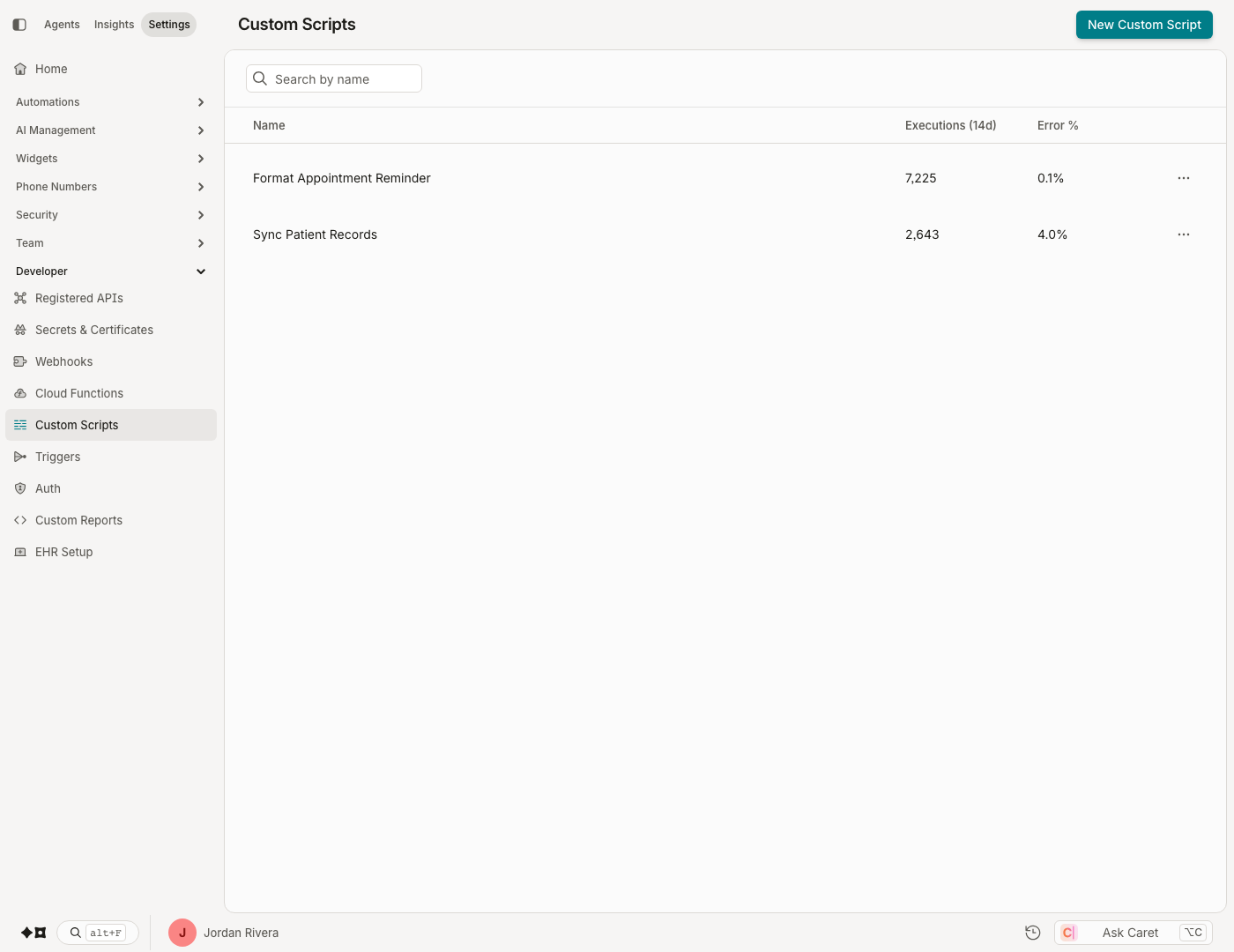
Admin › Developer › Custom Scripts lists your organization's scripts with their recent activity:
| Column | Meaning |
|---|---|
| Name | The script's name |
| Executions (14d) | How many times the script ran in the last 14 days |
| Error % | The share of those runs that failed |
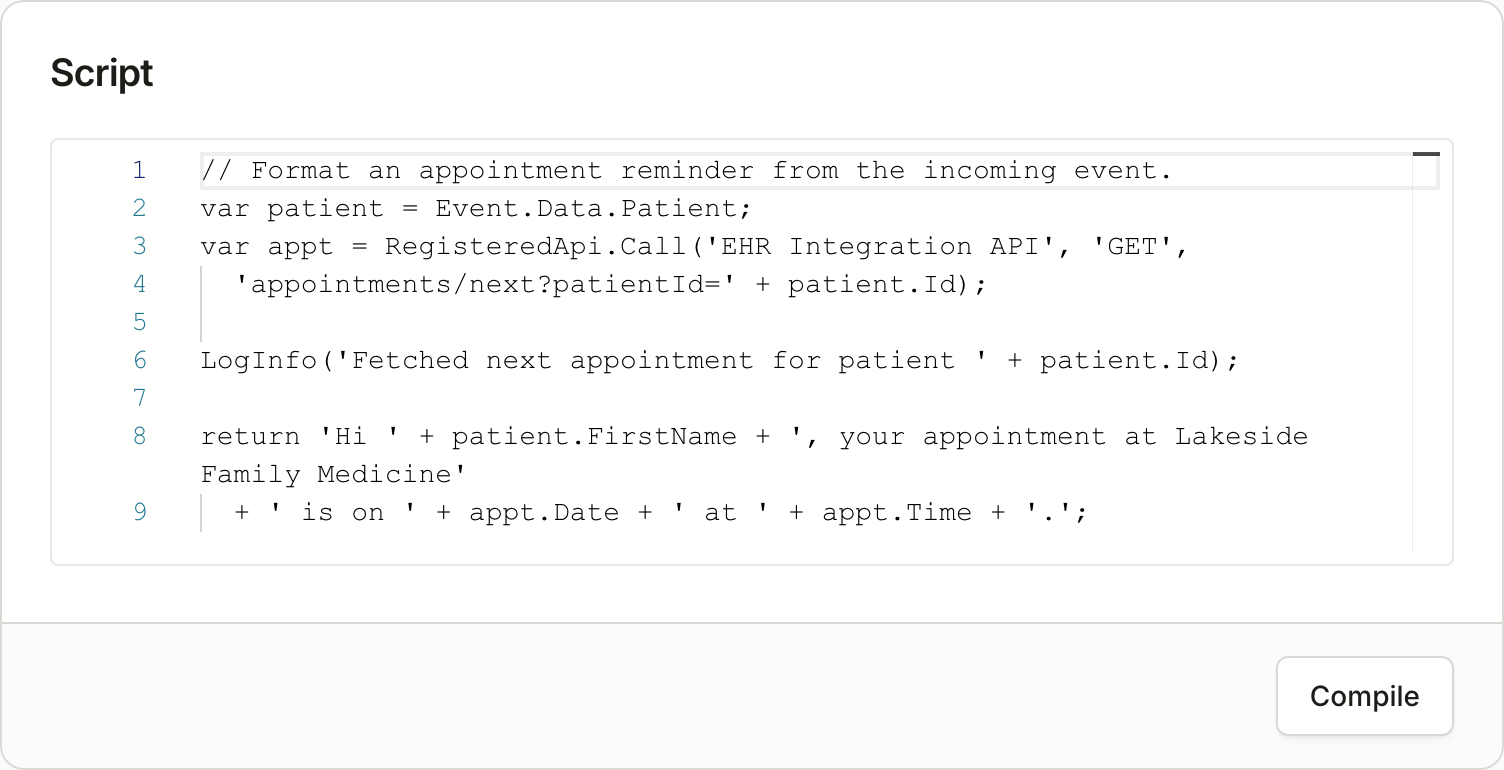
Opening a script shows its source, a 14-day execution chart, and summary tiles: Total executions, Error percentage, Avg execution duration, and Max execution duration.

For the platform team's script authors, the detail view is also the editor: the Compile button validates the script without saving, and Save puts changes live immediately — there is no draft or versioning layer.
What scripts can do
The scripting runtime provides packages for, among other things:
- Calling Registered APIs by name, with the stored authentication applied automatically
- Reading Secrets by name (see Secrets & Certificates)
- Reading and writing conversation context and custom attributes
- Querying Datasets, working with JSON/XML, generating PDFs, sending no-reply email
- Logging (
LogInfo,LogWarning,LogDebug) — log output lands in the reporting warehouse
How scripts run
Scripts don't run from this screen — they execute when something invokes them:
- A bot step — a Custom Script step in a conversation flow passes its configured inputs to the script.
- A Trigger — a trigger with a Custom Script action runs the script whenever a subscribed event fires; the event payload arrives as the script's
Eventinput.
Deleting a scriptDeleting a custom script cannot be undone and may break triggers that depend on it.
Digging deeper than the metrics
The summary tiles cover most monitoring needs. For per-execution analysis, the reporting warehouse exposes three queryable tables in Custom Reports: CustomScriptExecutions, CustomScriptTraces (your script's log output), and CustomScriptErrors.
Updated about 2 months ago