

EHR Setup
Admin › Developer › EHR Setup connects your organization to your Electronic Health Record system, enabling the platform's EHR-integrated conversation capabilities — patient lookup, retrieving appointments, medications, and claims, and booking or canceling appointments.
Feature enablementEHR integration is enabled per organization. If the settings on this page are rejected, reach out to your account contact to have the EHR Integration feature enabled.
Before you start: the Registered API comes first
EHR Setup itself stores only three settings — the actual connection details (FHIR base URL, OAuth2 token endpoint, client credentials) live on a Registered API. Set up in this order:
- Create a Registered API for your EHR endpoint — base URL plus its OAuth2 configuration.
- For Epic: Epic requires private-key JWT client authentication — create a Certificate first and select it in the Registered API's OAuth2 settings; point Epic at the published JWKS.
- Then configure EHR Setup below.
Configuration
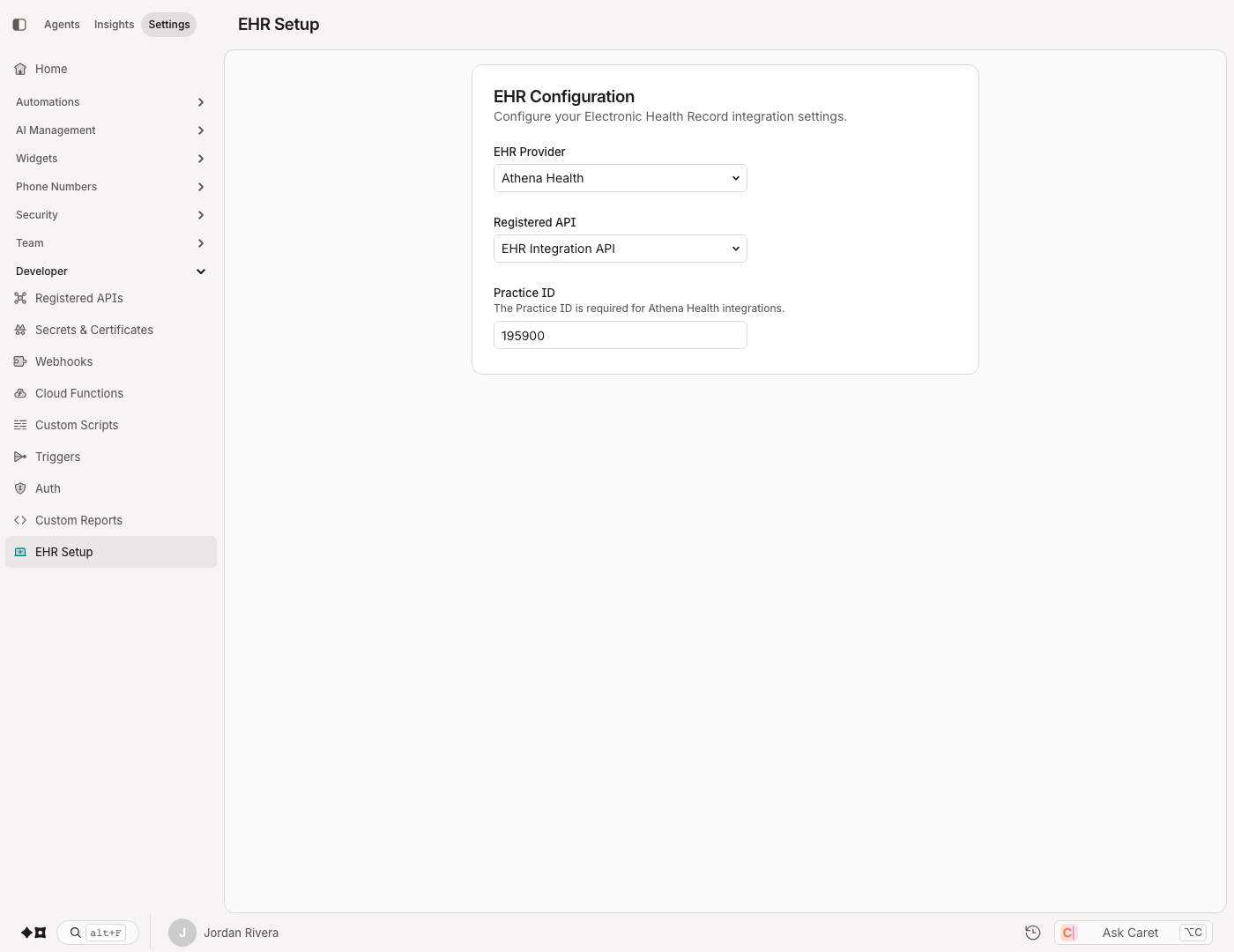
The page has three settings and saves automatically as you change them (there is no Save button — watch for the "EHR settings updated" confirmation):
- EHR Provider — Athena Health or Epic.
- Registered API — the Registered API that carries your EHR connection details.
- Practice ID — shown for Athena Health only; required for Athena integrations.
Switching provider clears the Practice IDThe Practice ID applies only to Athena Health. Selecting Epic removes the field and clears any stored Practice ID — switching back to Athena means re-entering it.
Updated about 2 months ago