

Registered APIs
You can register external endpoints that you want the platform to invoke on your behalf using the Registered APIs feature, found under Admin › Developer › Registered APIs. A registered API captures the base URL and authentication for a system you own, so that custom scripts and Cloud Functions can call it without embedding credentials in configuration.
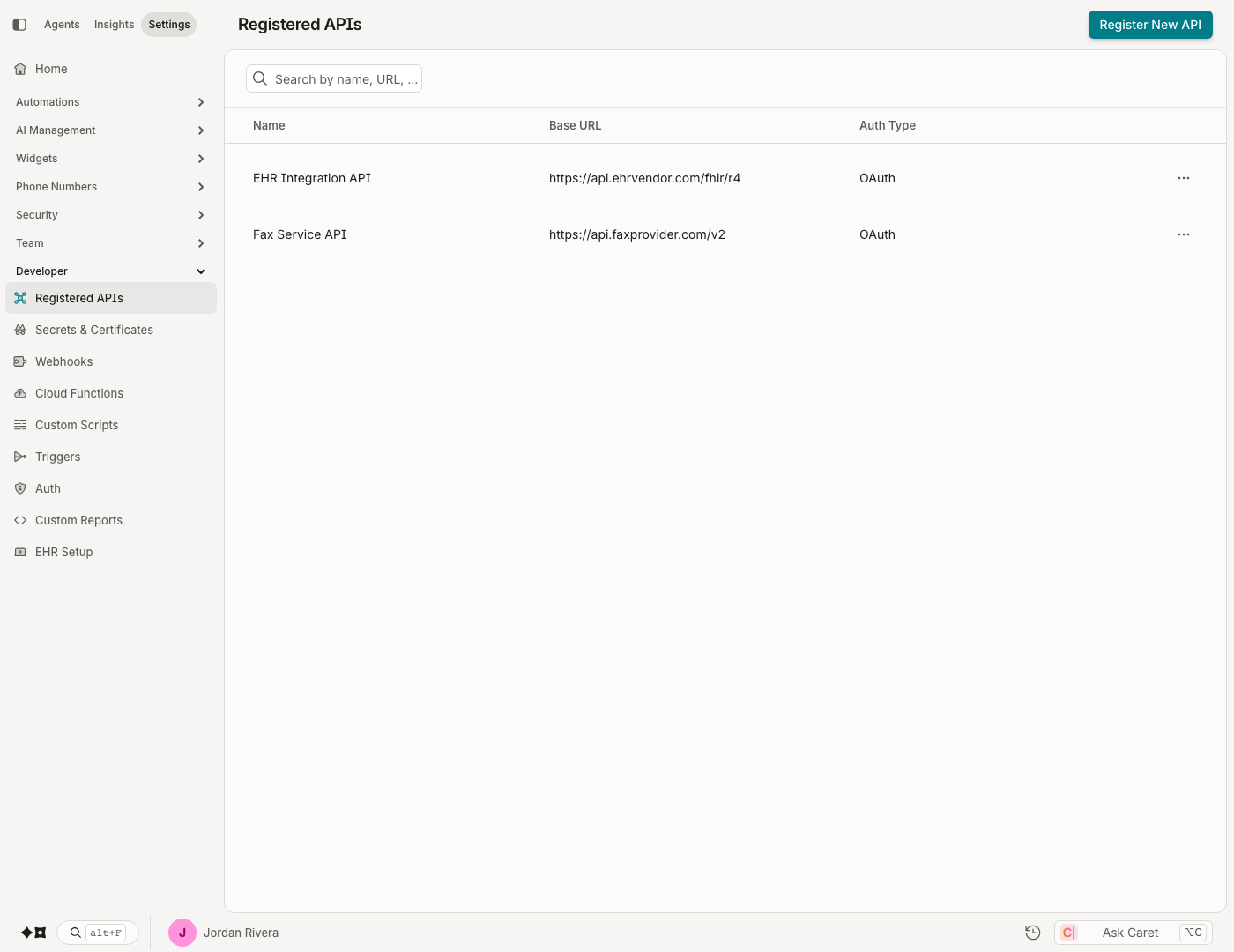
Register a new API
Click Register New API at the top-right corner of the page and configure the details:
- Registered API Name — a name for your registered API.
- Base URL — the base URL of the API to call.
- Is Read Only — enable if you want this registered API to be read-only. Note that the API will no longer be editable once it's been saved as read-only.
- Headers — header names and values needed by your API (e.g. name:
Authorization; value:Bearer {token}). - Authorization — the auth type and its parameters:
| Auth type | Parameters |
|---|---|
| API Key | Key Name, Key Value, Add to 'Header' or 'Query Params' |
| Basic | Username and Password |
| Bearer Token | Bearer Token |
| None | |
| OAuth | Grant Type, Access Token URL, Client ID, Client Secret, Scope, Send as 'Basic Auth Header' or 'Request Body' |
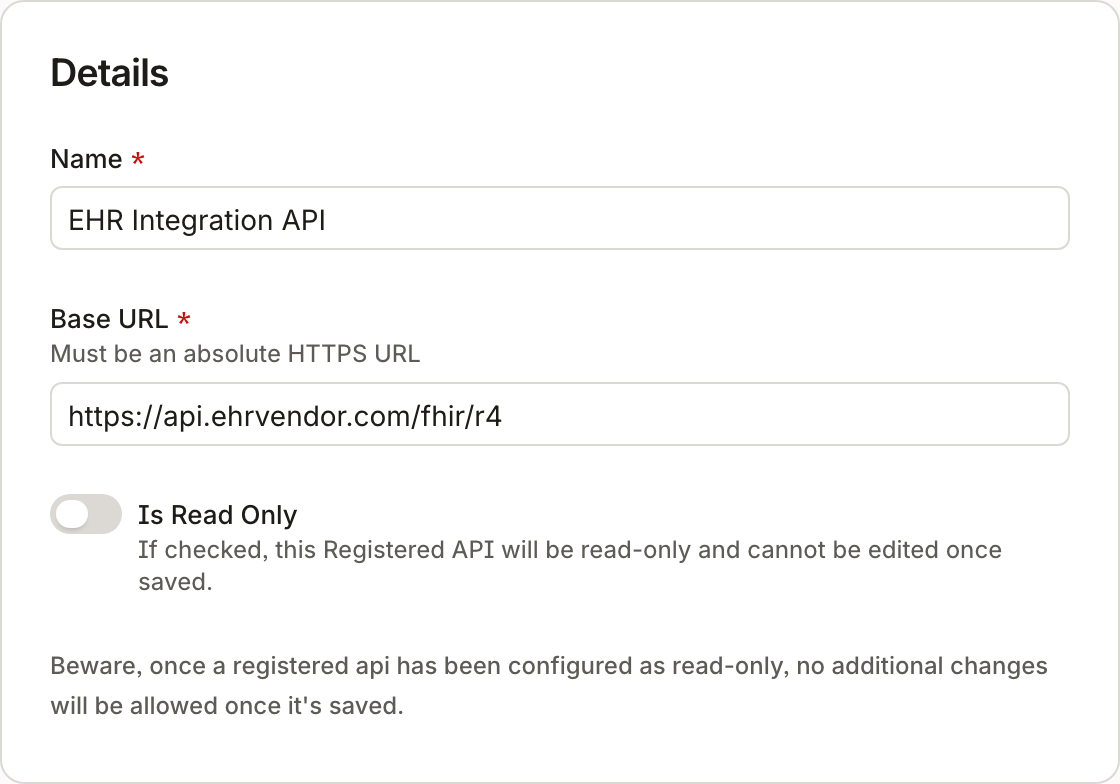
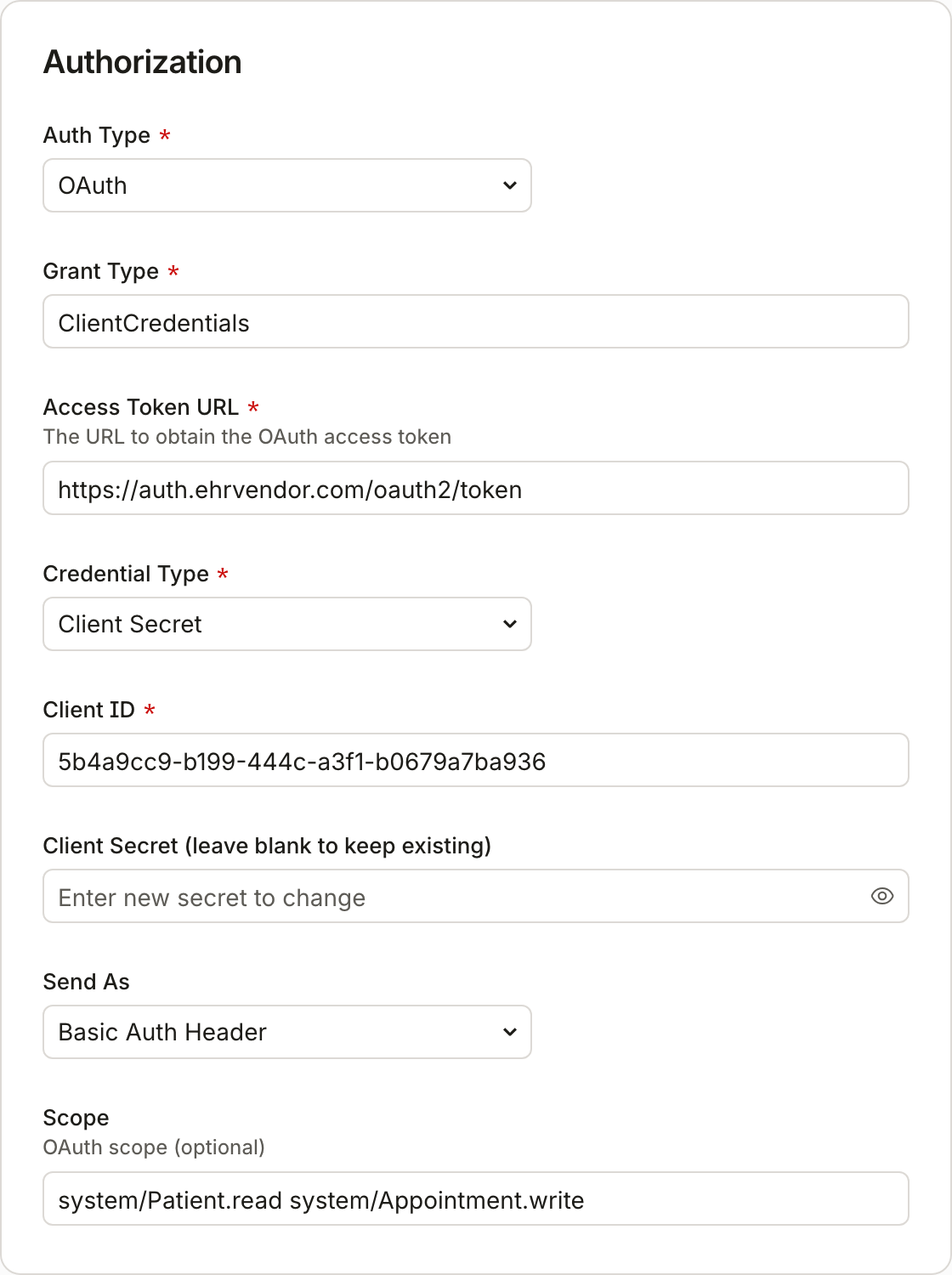
Once you have configured your registered API and its authorization credentials, click Save. It is now available to be called from custom scripts and Cloud Functions.
Updated about 2 months ago
Did this page help you?