

Auth
The Auth screen (Admin › Developer › Auth) is where your organization manages its API credentials: your Org ID and your scoped API access tokens. Every call to the platform APIs authenticates with a token created here — see Getting Started with the APIs for how tokens are used on requests and which scopes unlock which endpoints.
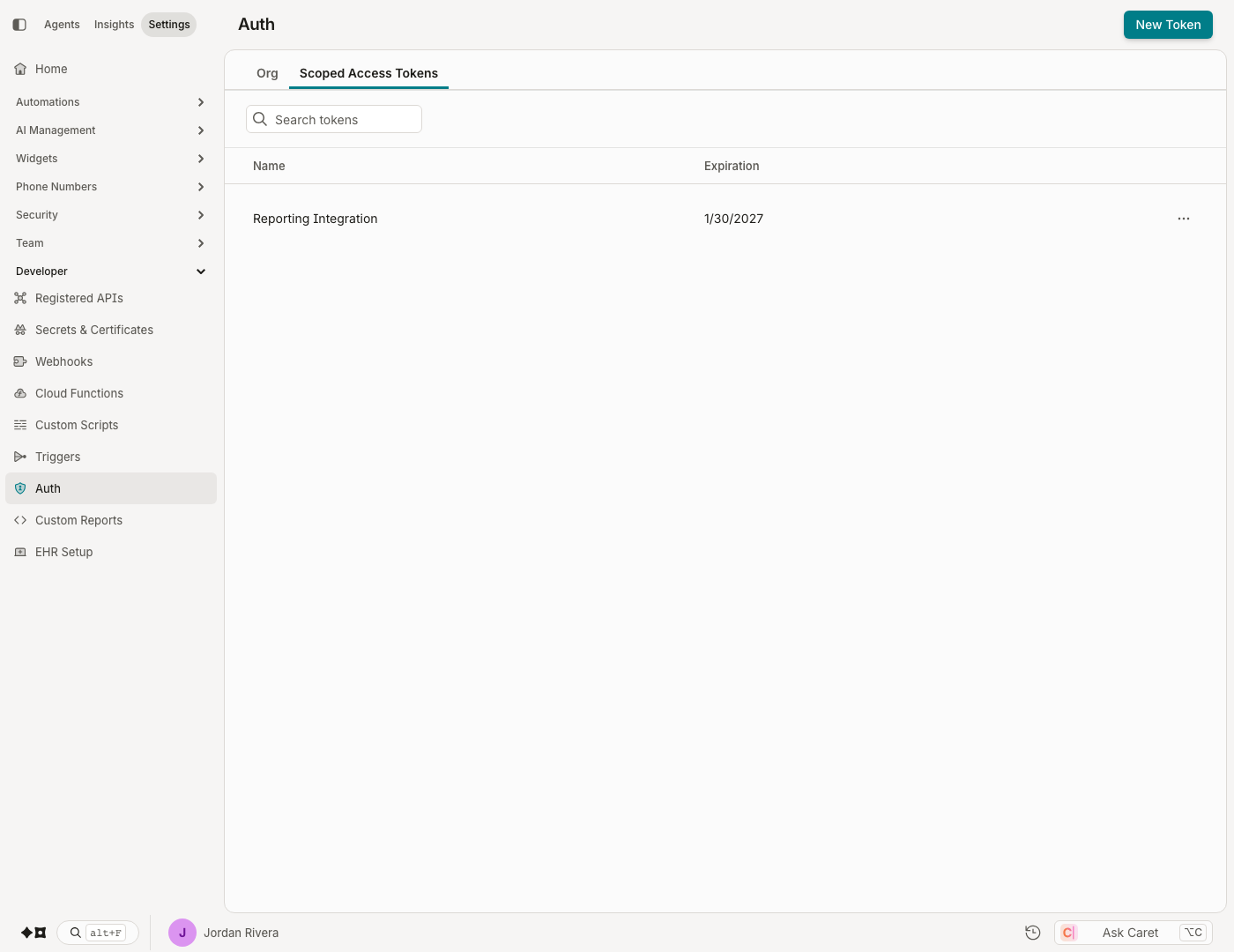
Creating a token
Click New Token. You'll set:
- Token name — how it appears in your token list.
- Expiration date (optional) — recommended for anything long-lived.
- Scopes — the specific permissions this token grants. Scope narrowly: a reporting integration needs read scopes only.
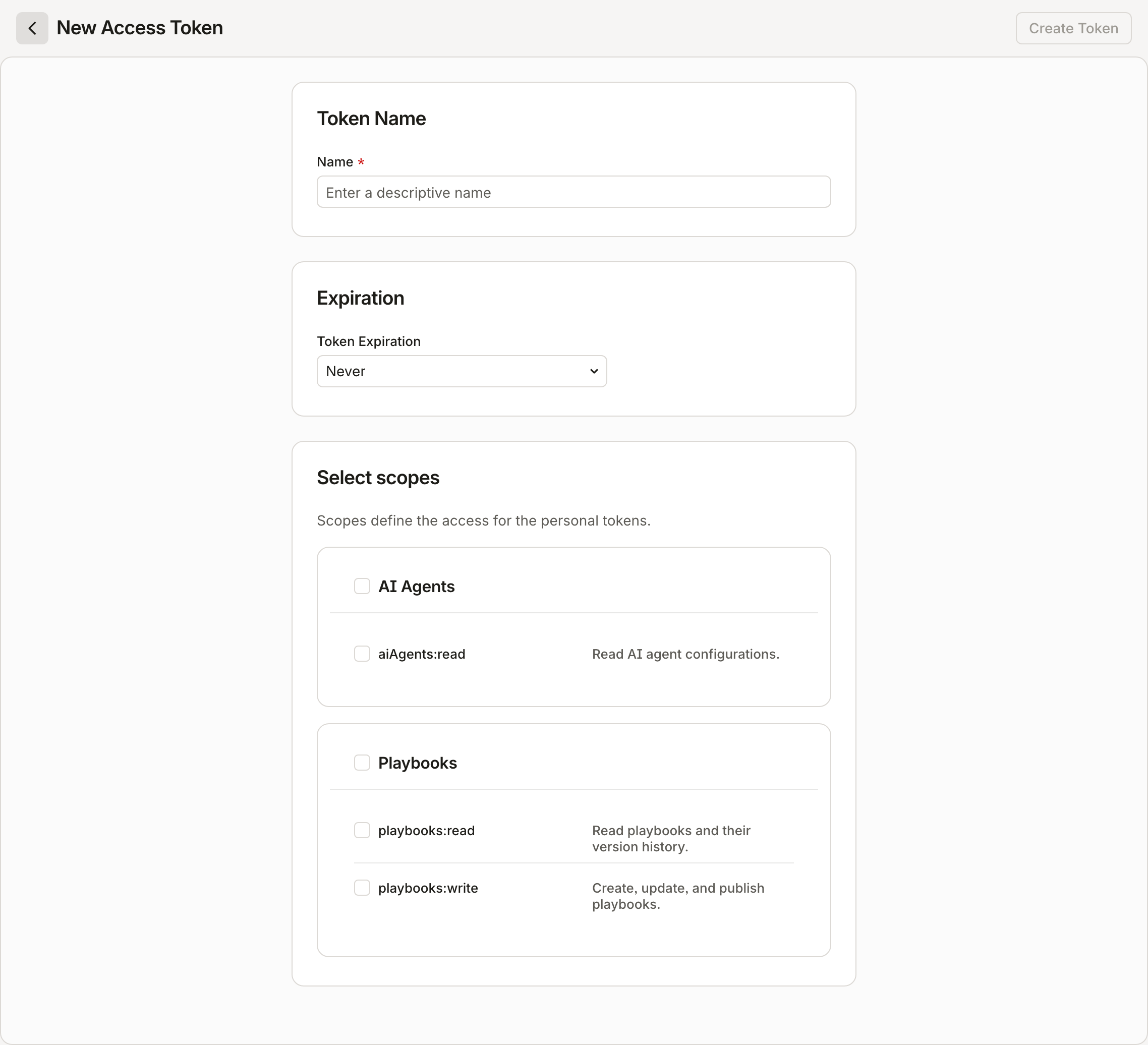
Click Create Token to generate it.
Your token is displayed once, at creation. Store it securely — it cannot be retrieved again.
Updating and rotating
After creation, only a token's name can be changed — not its expiration or scopes. To change a token's access, perform a key rotation:
- Issue a new token with the desired scopes and expiration.
- Deploy the new token to your applications.
- Revoke the original token.
Deleting a token
Expand the token in the list and click Delete token.
Deleting an access token immediately revokes all access granted through it. This action is irreversible.
Updated about 2 months ago
Did this page help you?